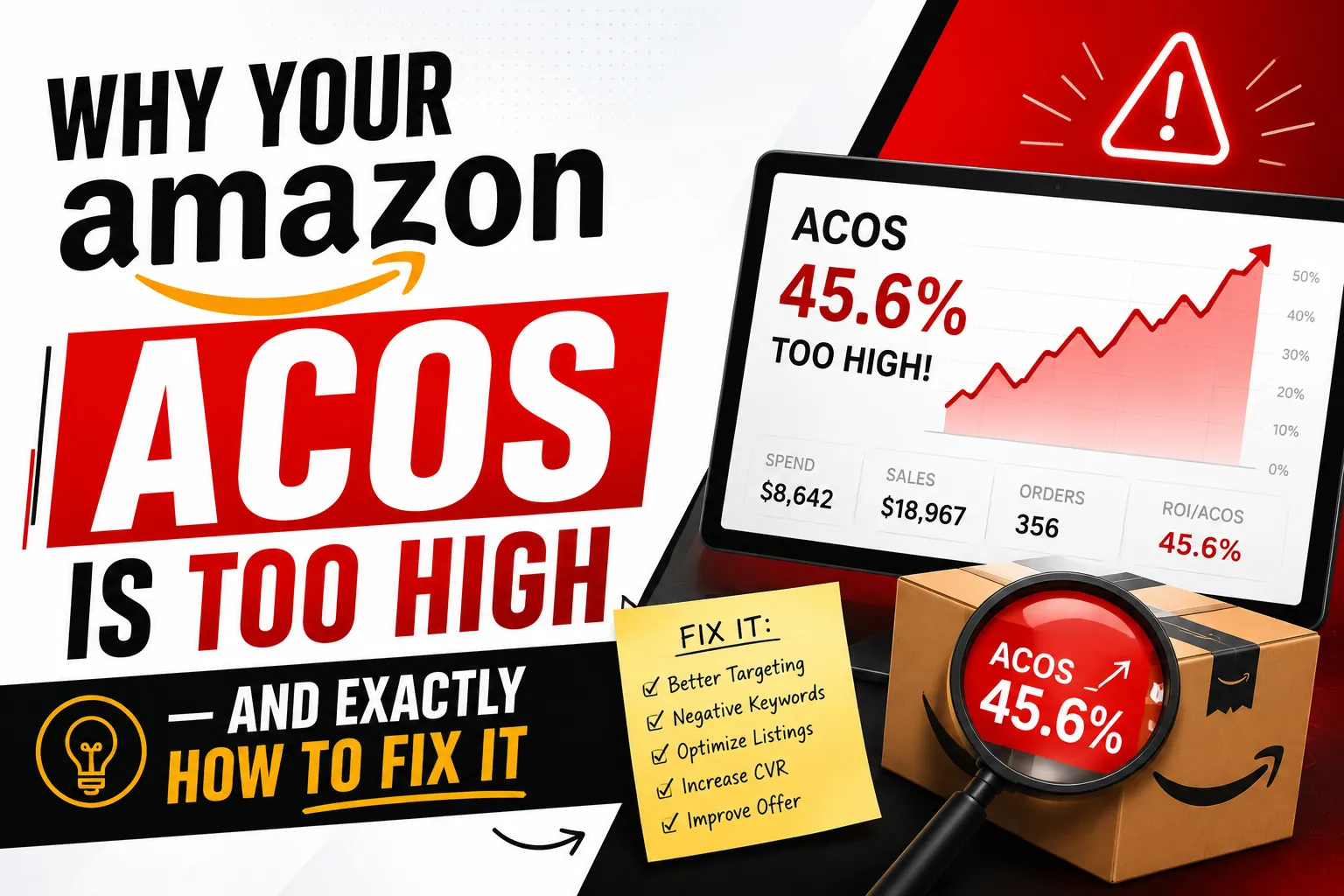
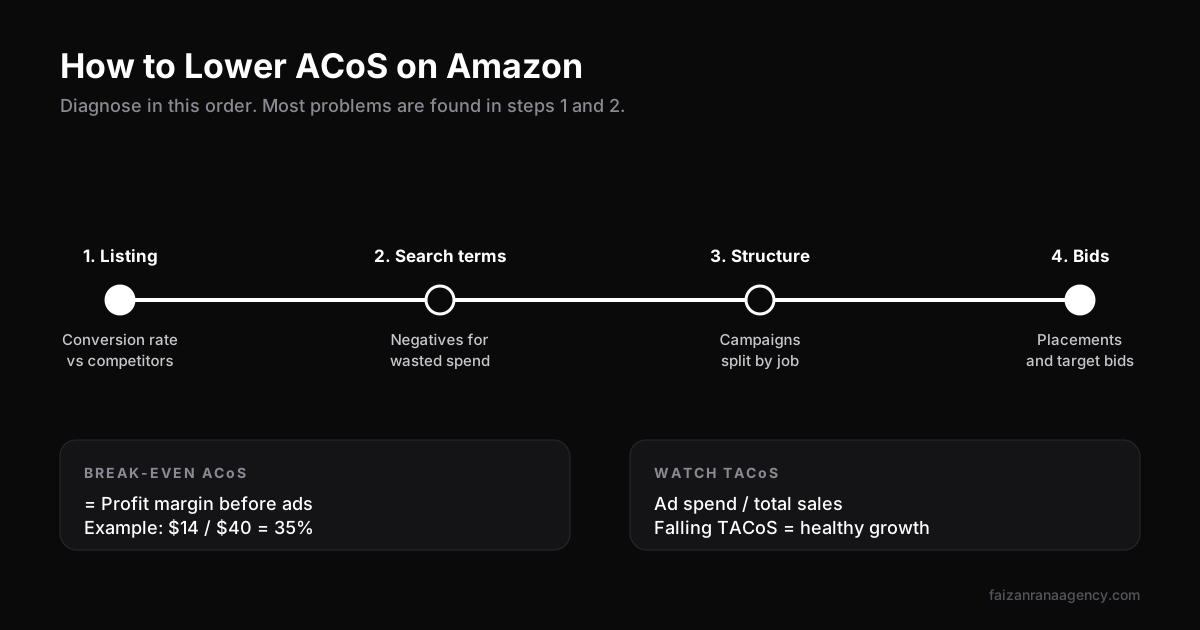
Short answer: ACoS (Advertising Cost of Sales) is your Amazon ad spend divided by the sales those ads generated. A "good" ACoS is anything below your break-even ACoS, which equals your profit margin before ad costs. If your ACoS is too high, the cause is almost always one of four things: a listing that doesn't convert, wasted search terms, a messy campaign structure, or bids and placements set without data. Fix them in that order.
In this article
"Our ACoS is 60%. Can you fix it?" We hear that a lot. The honest first answer is: maybe the ACoS isn't the problem. A 60% ACoS on a launch week can be perfectly healthy. A 25% ACoS on a mature product with thin margins can be losing money.
So before touching a single bid, our Amazon PPC management team asks two questions. What does this product need to break even? And where exactly is the spend going? Once you know both, high ACoS stops being a mystery.
What ACoS on Amazon actually means
ACoS is a simple ratio:
ACoS = ad spend ÷ ad-attributed sales × 100
Spend $300 on Sponsored Products and generate $1,000 in ad sales, and your ACoS is 30%. That's it. What ACoS doesn't tell you is how ads affect your organic sales, which is why we always look at it next to TACoS (Total ACoS):
TACoS = ad spend ÷ total sales (ad + organic) × 100
If ACoS is flat but TACoS is falling, ads are lifting organic rank and the account is getting healthier. If both are rising, something is wrong.
What is a good ACoS? Find your break-even
There is no universal "good ACoS". There is only your break-even ACoS, which is your profit margin before advertising.
| Example product | Amount |
|---|---|
| Selling price | $40.00 |
| Product cost, shipping, Amazon fees | -$26.00 |
| Profit before ads | $14.00 |
| Break-even ACoS ($14 ÷ $40) | 35% |
For this product, a 30% ACoS is profitable on every ad sale. A 45% ACoS loses money on ad sales, but it can still be worth it during a launch if it builds organic rank. Your target ACoS depends on the goal: ranking, profit or a mix.
Problem 1: The listing doesn't convert
This is the one most sellers skip, because it's not in the ad console. But if your listing converts at 6% and competitors convert at 15%, you pay for more than twice as many clicks per sale. No bid change fixes that.
Check your unit session percentage in Business Reports and compare it with your PPC conversion rate. If both are low, fix the listing first:
- Is the main image as strong as the top 3 results?
- Is the price in line with the products you show up next to?
- Do the bullets answer the complaints in competitor reviews?
- Is your rating below 4.0? If so, ads will struggle until that improves.
Problem 2: Wasted search terms
Download the search term report for the last 30 to 60 days and sort by spend. You'll almost always find terms that spent money with zero or one order. Common culprits: broad match and auto campaigns matching to loosely related searches, other brands' names, and wrong product types.
For each wasteful term, add it as a negative exact keyword in the campaign where it's wasting money. Where a whole theme is irrelevant (for example "for kids" when you sell an adult product), add a negative phrase. Do this weekly. It is the single highest-return habit in Amazon PPC.
Problem 3: Messy campaign structure
When one campaign holds 300 keywords in every match type, you can't control where the money goes. The best keywords get starved and weak ones keep spending. We separate campaigns by job:
| Campaign | Job | Budget share |
|---|---|---|
| Exact match (proven terms) | Profit and rank on your best keywords | Largest |
| Phrase and broad | Find new converting terms | Medium |
| Auto | Research only, low bids | Small |
| Product targeting | Win sales on competitor listings | Small to medium |
| Branded | Protect your own brand searches | Small |
When a search term converts in a discovery campaign, move it into exact and add it as a negative in the discovery campaign. That keeps each term in one place, at one bid. Your keyword list should come from proper Amazon keyword research, not just whatever auto campaigns find.
Problem 4: Bids and placements
Only now do bids matter. Some practical rules we use:
- Adjust bids from data, not feelings. Wait for enough clicks to judge a keyword. Pausing after 5 clicks is too early for most products.
- Set target bids from your target ACoS. Target bid ≈ average order value × conversion rate × target ACoS.
- Check placement reports. Top of search often converts best. If it does, use a placement adjustment there instead of raising all bids.
- Use dynamic bidding carefully. "Up and down" can work for proven exact campaigns, but it can inflate spend on discovery campaigns.
When a high ACoS is fine
A high ACoS is a choice, not always a problem. During a launch you are paying to build relevance and sales history, so ACoS above break-even is normal for the first weeks. We plan for that in our Amazon product launch playbook. The same goes for pushing a product up for a big keyword before peak season.
The rule: a high ACoS is fine when it's planned, time-limited and TACoS is moving the right way. It's a problem when nobody chose it.
Our weekly PPC routine
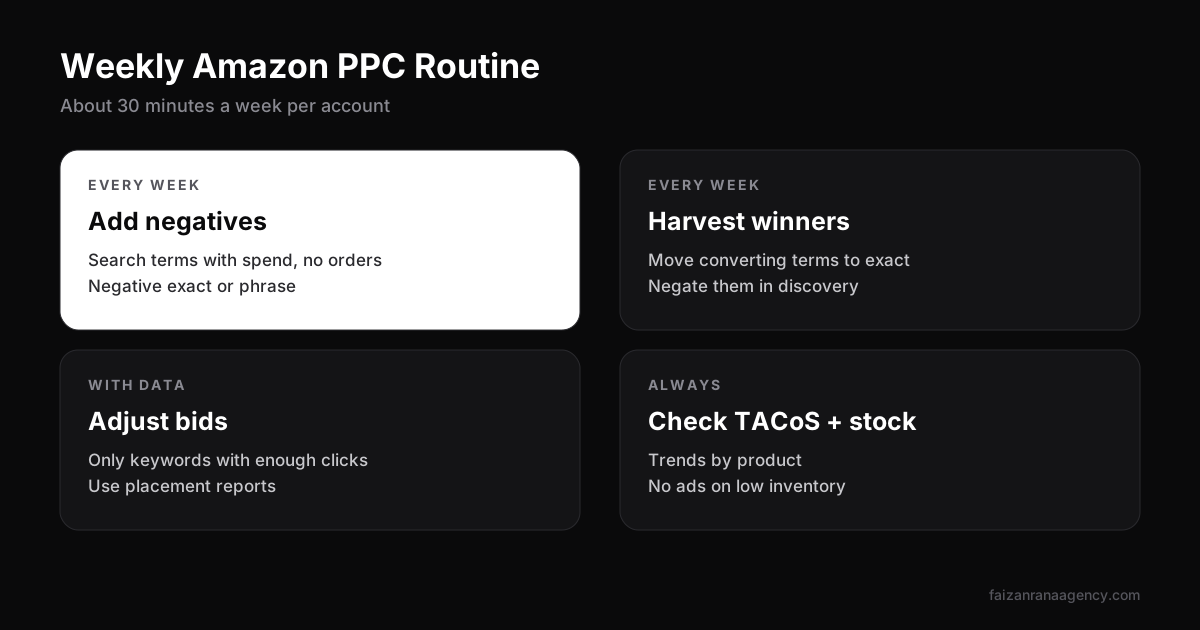
- Pull the search term report and add negatives for wasted spend.
- Move converting search terms into exact match.
- Adjust bids on keywords with enough data, up or down.
- Check ACoS and TACoS trends by product, not just account-wide.
- Check stock levels. Ads on a product about to go out of stock waste money.
Want to drive sales from outside Amazon too? Paid social can lift ranking without raising PPC bids. Read why Meta Ads still work for e-commerce, and how external sales feed the Amazon ranking algorithm.
FAQ
What does ACoS mean on Amazon?
ACoS stands for Advertising Cost of Sales. It is your ad spend divided by the sales those ads generated, shown as a percentage.
What is a good ACoS on Amazon?
A good ACoS is one below your break-even ACoS, which equals your profit margin before advertising. For many products that is somewhere between 20% and 40%, but it depends on your margins.
How do I reduce ACoS on Amazon?
Improve listing conversion first, then add negative keywords for wasted search terms, separate campaigns by match type, and finally adjust bids and placements based on data.
What is the difference between ACoS and TACoS?
ACoS compares ad spend with ad sales only. TACoS compares ad spend with total sales, including organic, so it shows whether ads are helping the whole business grow.
Is a high ACoS bad during a product launch?
Not necessarily. During a launch you pay to build relevance and sales history, so a higher ACoS is normal for a few weeks as long as TACoS trends down.
If your ACoS has been stuck high for months, send us your account details and we'll walk through a free diagnosis.
Want us to do this for your brand?
Book a 30-minute call and we will scope your project.