Short answer: To create a custom audience on Facebook, open Ads Manager, go to Audiences, click Create audience, choose Custom audience, then pick a source (website, customer list, video, Instagram account or Facebook Page) and set the rules and time window. For e-commerce, the five custom audiences that convert best are recent website visitors, add-to-cart non-buyers, past customers, video viewers and Instagram engagers.
In this article
- What Facebook custom audiences are (and aren't) for in 2026
- How to create a custom audience in Facebook
- Audience 1: Website visitors
- Audience 2: Add to cart, no purchase
- Audience 3: Customer list
- Audience 4: Video viewers
- Audience 5: Instagram and Facebook engagers
- Lookalikes and common mistakes
- FAQ
Custom audiences are the difference between showing ads to strangers and showing ads to people who already know you. They're also one of the most misunderstood parts of Meta Ads. Some brands build 40 of them and use none. Others build one, forget exclusions, and keep paying to show ads to customers who bought yesterday.
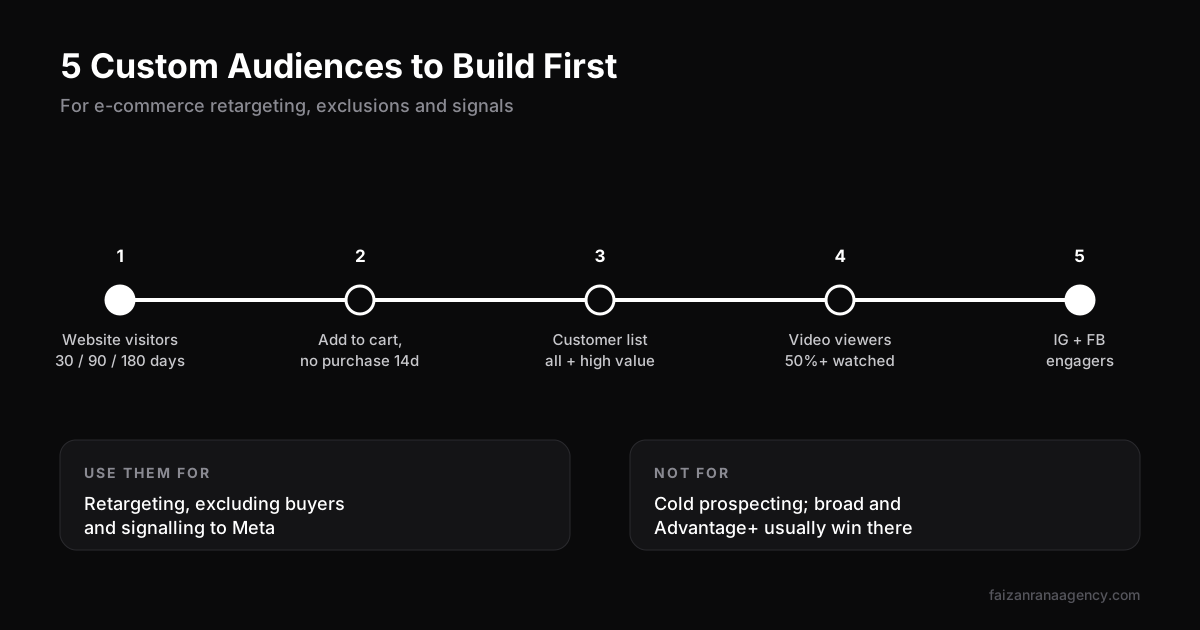
These are the five custom audiences our Meta Ads team builds first on every e-commerce account, with exact settings.
What Facebook custom audiences are (and aren't) for in 2026
A custom audience is a group of people who have already interacted with your business: visited your site, bought from you, watched your videos or engaged with your page.
In 2026, their role has shifted. For finding new customers, Meta's broad targeting and Advantage+ campaigns usually beat hand-built audiences. We explain why in why Meta Ads still win for e-commerce. Custom audiences now do three jobs:
- Retargeting people who showed interest but didn't buy.
- Excluding recent buyers from prospecting and retargeting.
- Signalling to Meta who your existing customers are, so campaigns can find similar people.
How to create a custom audience in Facebook
- Open Meta Ads Manager and go to Audiences (in the main menu).
- Click Create audience, then Custom audience.
- Choose a source: Website, Customer list, Video, Instagram account, Facebook Page, Catalog and others.
- Set the rule (for example "people who visited specific pages") and the retention window, up to 180 days for website audiences.
- Name it clearly, for example "WEB | ATC no purchase | 14d", and click Create audience.
Website audiences need the Meta Pixel installed and firing correctly, ideally with the Conversions API as well. Without clean data, these audiences stay small or inaccurate. Check the Meta Business Help Center for the latest audience options.
Audience 1: Website visitors
Settings: Website source, "All website visitors", in three windows: 30, 90 and 180 days.
The 30-day group is your warmest. Use it for retargeting with your best-selling products, reviews and social proof. The longer windows are useful as exclusions and as signals in larger campaigns. Always exclude purchasers from the last 30 to 60 days.
Audience 2: Add to cart, no purchase
Settings: Website source, include "AddToCart" in the last 7 or 14 days, exclude "Purchase" in the same window.
These people were one step away from buying. Show them the exact product (catalog ads work well), answer common objections like shipping time or returns, and test a small incentive only if needed. This audience is small but usually has the lowest cost per purchase in the account.
Audience 3: Customer list
Settings: Customer list source; upload emails and phone numbers from your store (Meta hashes the data before matching).
Split it into useful groups: all customers, repeat customers and high-value customers. Use them to exclude buyers from acquisition campaigns, to promote new products to past buyers, and as a seed for lookalikes. Only upload data you have permission to use for marketing, and refresh the list monthly.
Audience 4: Video viewers
Settings: Video source, people who watched at least 50% (or ThruPlay) of your ads or posts in the last 30 to 90 days.
Video viewers are cheap to build and show real interest. They're a great middle step between cold prospecting and website retargeting, especially for products that need explaining. Strong video ads come from strong editing, which is why we pair campaigns with short-form video editing.
Audience 5: Instagram and Facebook engagers
Settings: Instagram account and Facebook Page sources, everyone who engaged in the last 90 to 365 days.
These people liked, saved, commented, messaged or visited your profile. Organic content grows this audience for free, so it's worth knowing what actually drives organic reach today. We cover that in do hashtags still work on Instagram.
Lookalikes and common mistakes
Lookalikes still work in some accounts, especially when seeded from high-value customers. But with broad targeting this strong, we treat them as one test among several, not the default.
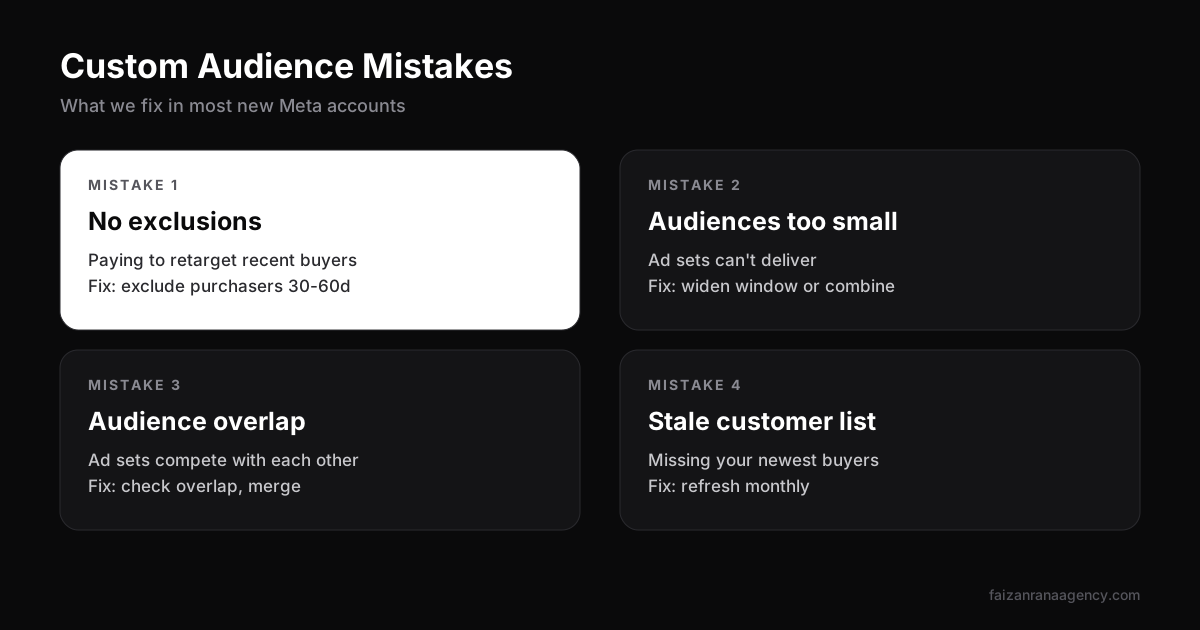
- No exclusions. Paying to retarget people who just bought.
- Audiences too small. Tiny audiences can't deliver well. Widen the window or combine sources.
- Overlap. Several ad sets targeting the same people compete against each other. Use the overlap tool and merge.
- Stale customer lists. A list uploaded once a year misses your newest and best buyers.
Sending traffic to Shopify or Amazon? The landing page decides whether these audiences convert. Read Shopify vs Amazon to plan where your ads should point.
FAQ
How do I create a custom audience on Facebook?
In Meta Ads Manager, go to Audiences, click Create audience, choose Custom audience, select a source such as website, customer list or video, set the rules and time window, then save it.
How long can a Facebook website custom audience be?
Website custom audiences can include people who visited your site in the last 1 to 180 days.
What is the difference between a custom audience and a lookalike audience?
A custom audience is people who already interacted with your business. A lookalike audience is new people Meta finds who are similar to a custom audience you choose as the source.
How big does a Facebook custom audience need to be?
Very small audiences deliver poorly. If an audience is too small to spend your budget, widen the time window or combine several sources.
Do Facebook custom audiences still work after iOS privacy changes?
Yes, but website audiences are smaller than before. Using the Conversions API alongside the Meta Pixel helps keep them as accurate as possible.
Want us to audit your Meta audiences and tracking? Get in touch.
Want us to do this for your brand?
Book a 30-minute call and we will scope your project.